Free
Start here
- Up to 3 active countdowns
- Full agenda—sources, in-app items, import
- 1 background-album photo per countdown
The temporal canvas
Countdowns and calendars on one temporal canvas—heatmap, home screen widgets, and a wallpaper that updates itself.
Screens
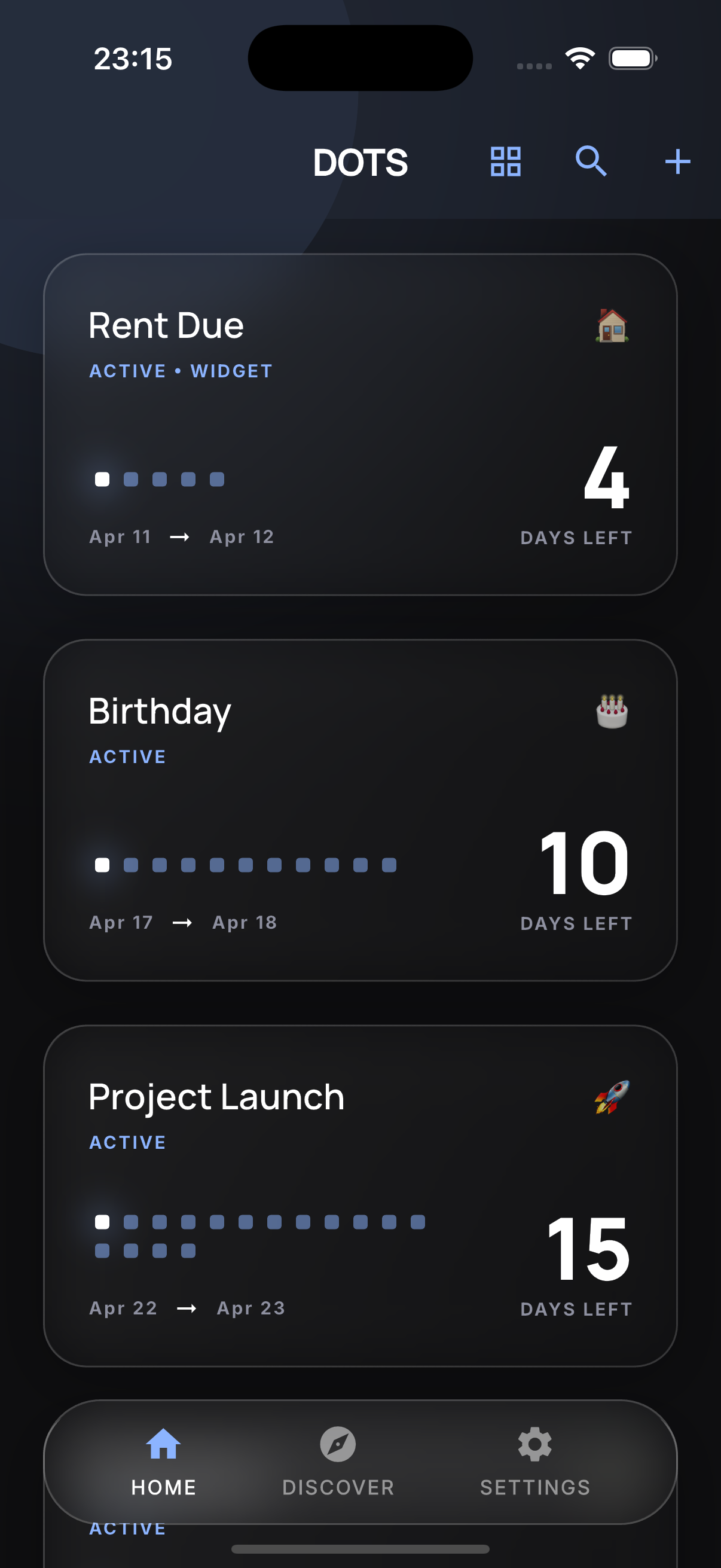
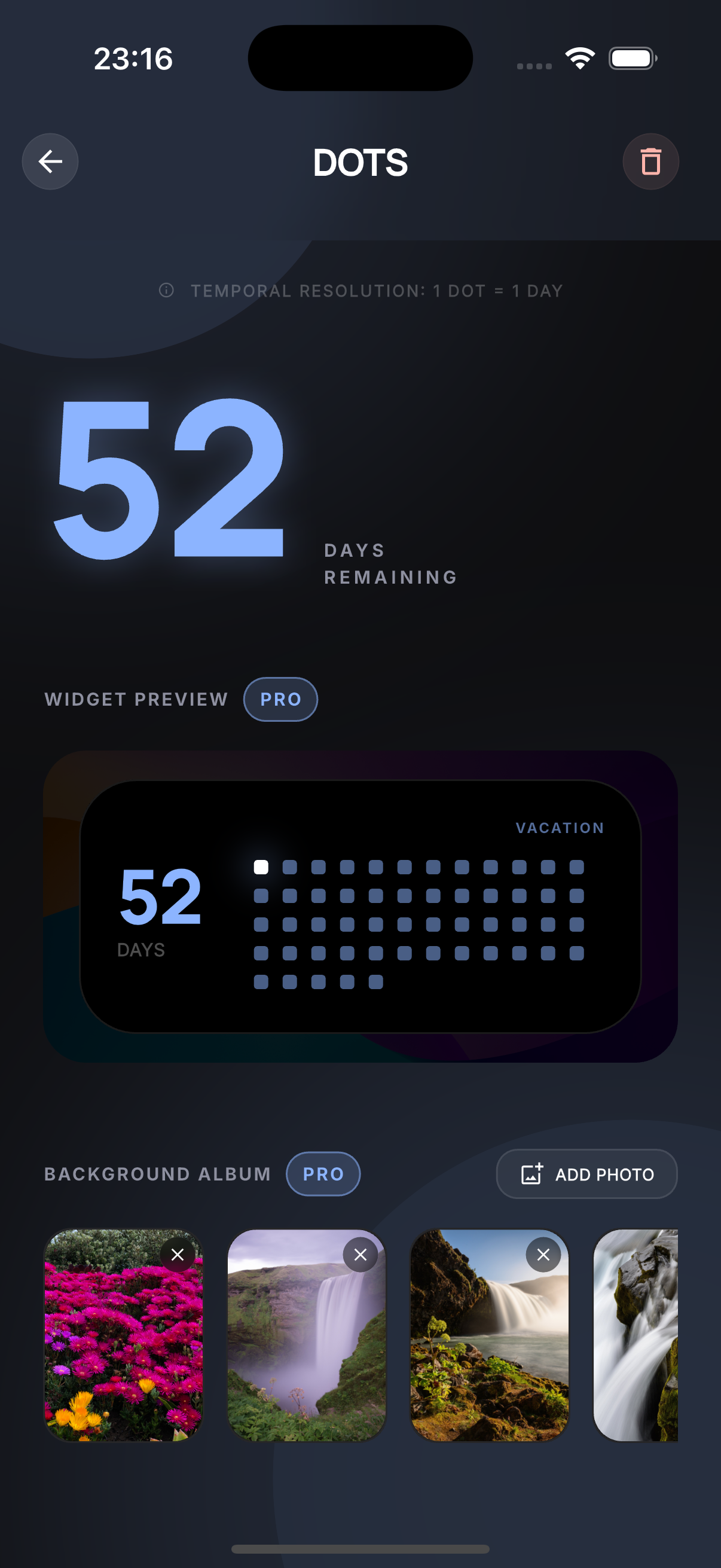
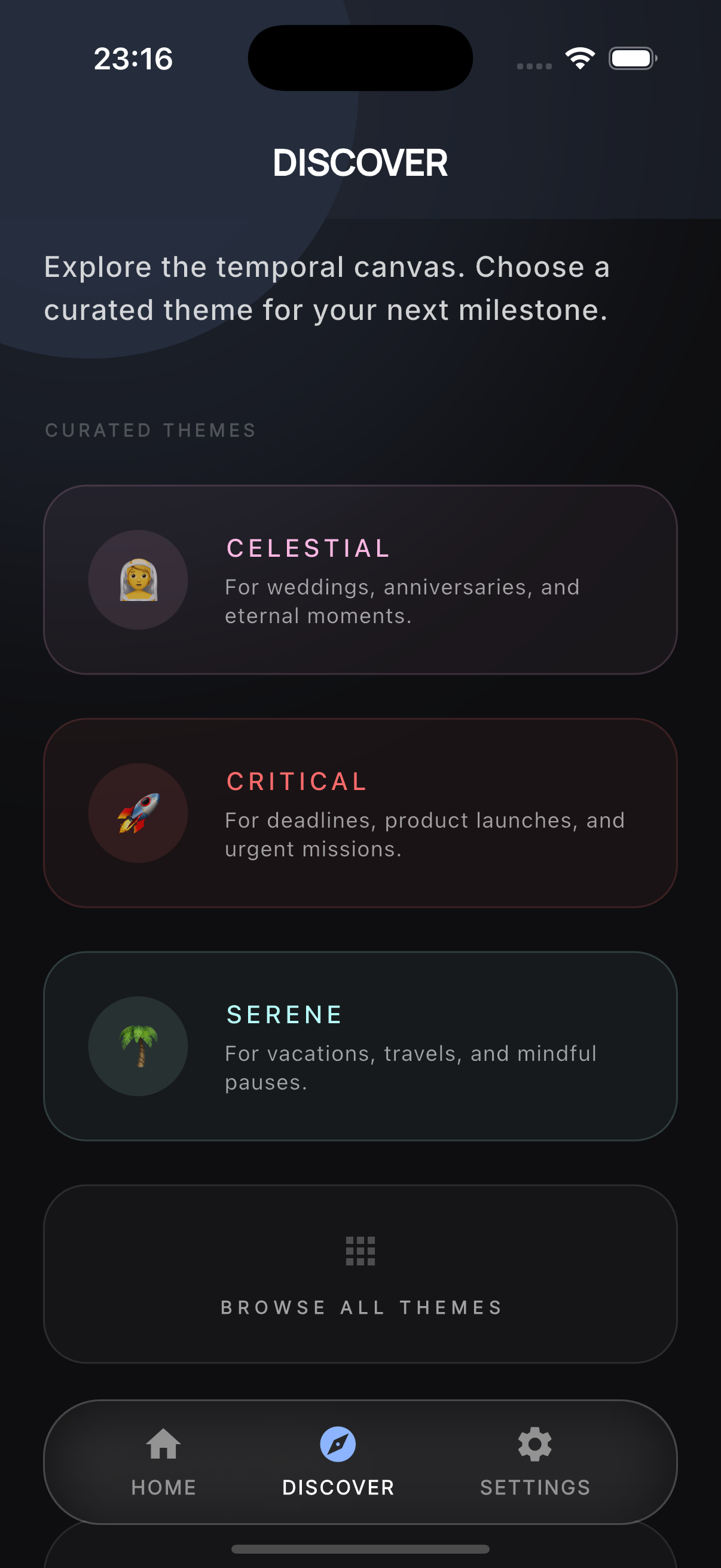
Real screens from the iOS build—Android ships with full feature parity.
The idea
Dot grids for days and weeks—on device, on widgets, and on your wall. Curated themes, calendar-synced agenda, optional smart nudges, CSV portability.
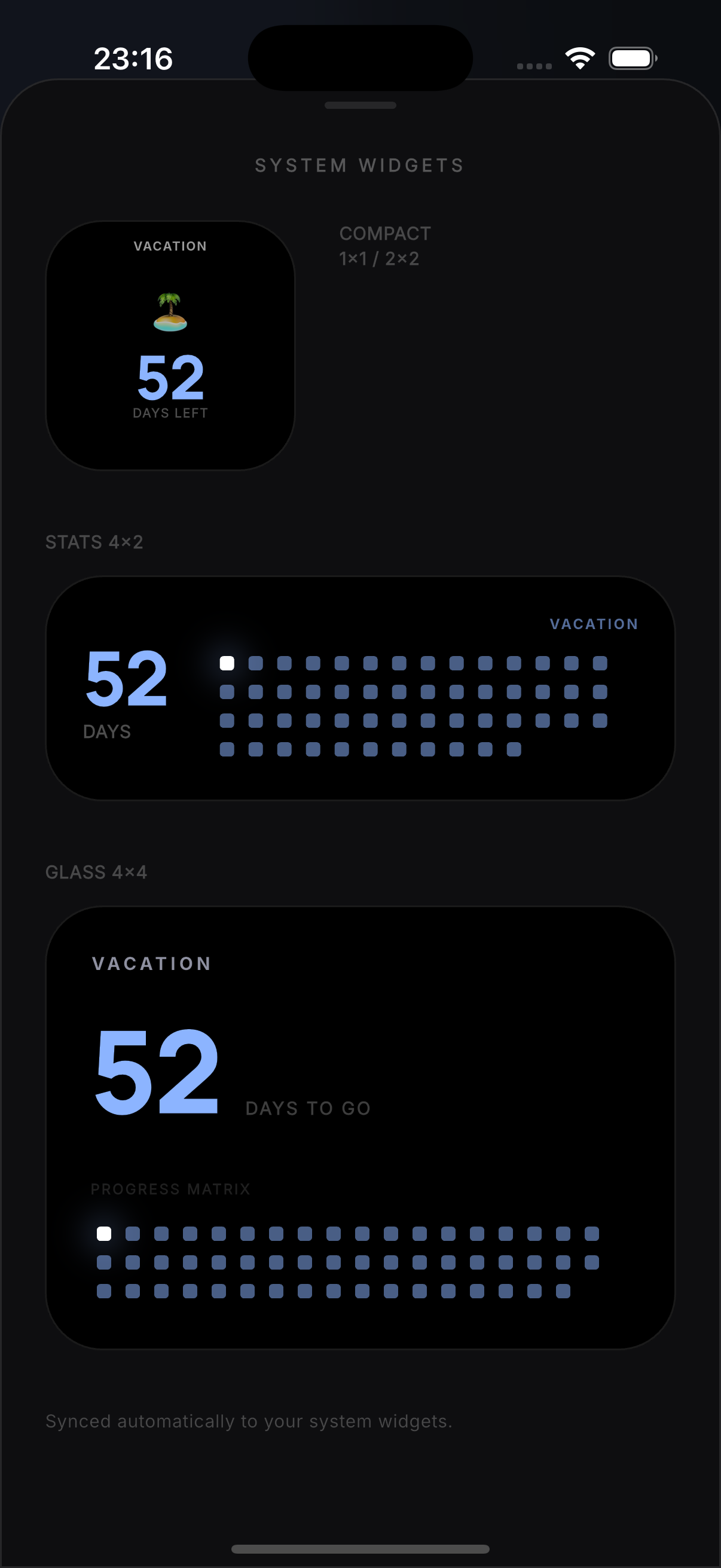
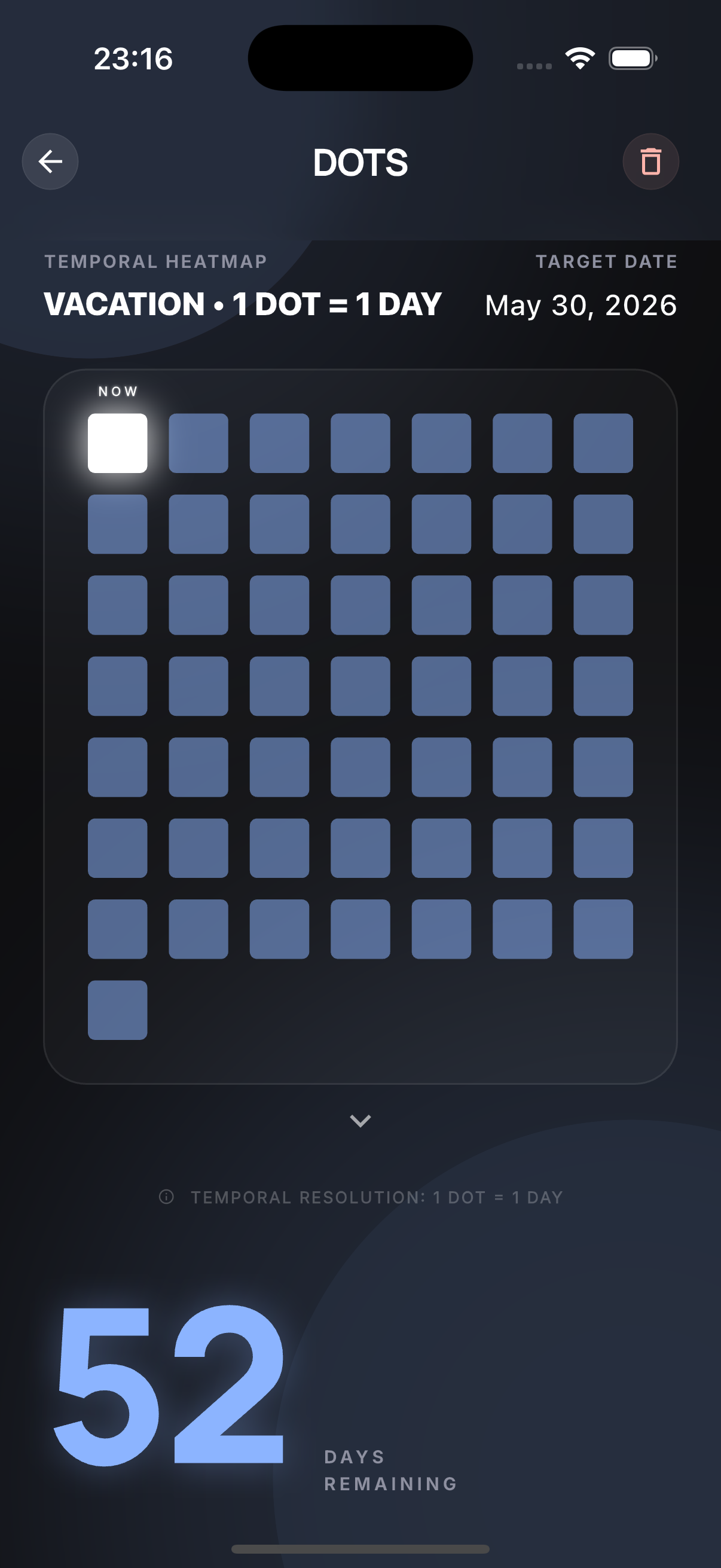
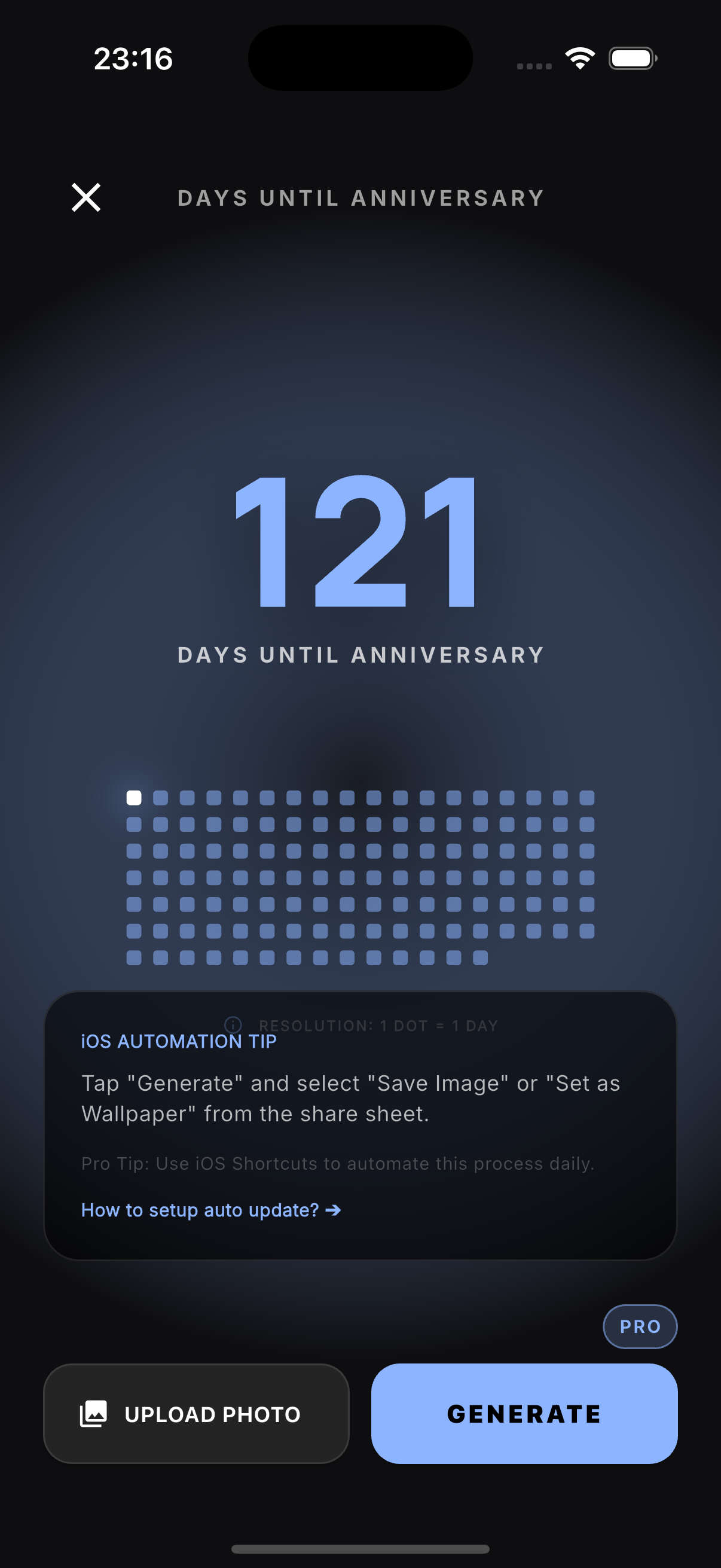
Dots is a countdown app built around a visual temporal canvas: days (or weeks or months) show up as a heatmap-style grid you can tune for resolution and style—classic, modern, ring, diamond, tile. You manage multiple countdowns, see what is active and urgent, and extend the same story to system home screen widgets on iOS and Android—compact, stats, and glass layouts. Wallpaper flows help you generate sharable images and, on iOS, hook into Shortcuts for automation.
A dedicated Agenda tab turns Dots into a daily planner surface: connect Google Calendar, device calendars, and Apple Reminders on iOS—or author in-app events and reminders with priorities—and import synced items as countdowns in one tap. The same agenda can be rendered onto your wallpaper as a feed in eight switchable styles—Strips, Cards, Grid, Month, Priority, Focus, Timeline, Timetable—with per-card color and opacity tweaks and a feed-only mode that drops the countdown entirely. On Android the wallpaper updates itself: a scheduled auto-wallpaper re-renders every 6, 12, or 24 hours to the home screen, lock screen, or both, and a native live wallpaper keeps it continuously fresh; on iOS a daily Shortcut automation applies it.
Data can move via CSV export and import; on iOS, iCloud backup and sync is a Pro capability. Notifications include a default reminder and optional Smart Nudge milestone alerts (50%, 90%, one week, one day). The app supports light, dark, and system themes, accent colors, and Discover with curated theme templates—Celestial, Critical, Serene, Nova, and more.
Agenda
The Agenda tab merges everything scheduled—in-app events and reminders next to Google Calendar, device calendars, and Apple Reminders on iOS.
The same agenda can paint itself onto your wallpaper—week strip, today’s items, next events, reminders due. Android re-renders on a 6/12/24h schedule or runs as a live wallpaper; on iOS a daily Shortcut applies it.
Wallpaper feed
Switchable feed styles—plus per-card color, opacity, and a feed-only mode.
Capabilities
Tap-friendly cards—depth lives in the app.
Detailed · compact · abstract—auto by event length.
iOS & Android—compact, stats, glass. Pin any countdown.
Emoji, color, urgency at a glance.
Themes for launch, travel, life moments.
Matches real system widgets.
Generate PNGs, share, background album.
In-app events & reminders—priorities, import as dots.
Google Calendar, device calendars, Apple Reminders (iOS).
8 styles—Strips to Timetable; feed-only mode.
Android—6/12/24h re-render + live wallpaper.
iOS—daily automation applies the agenda wallpaper.
Default ping + optional Smart Nudge (Pro).
Import/export; iCloud backup (Pro, iOS).
Themes, accents, heatmap styles.
Flow
Three moves, then the canvas does the work.
Title, emoji, target date, color. Compression picks itself by event length.
Home screen widgets on iOS & Android; the agenda synced from your calendars.
Smart Nudge milestones, and a wallpaper that repaints itself on schedule.
Pricing
Free to start—Pro unlocks the extras.
Start here
Widgets · Wallpaper feed · Automation · iCloud · Nudges
Get Dots
Free to start on iOS today—Android on Google Play soon.
Questions? [email protected]
Coming soon: Google Play listing and recurring dots.